
| Слушать на Google Podcasts | Слушать на Mave | Слушать на Яндекс Музыке |
Danila Luciv, Security Vision
We continue our review of the new version of Security Vision platform, started earlier https://www.securityvision.ru/blog/obzor-novykh-vozmozhnostey-platformy-upravleniya-protsessami-info... . This time we would like to further highlight the main differences of our product from those on the market and the mechanisms that underlie the platform and allow to optimise almost any process of information security and related areas.
Object-oriented approach
Most IRP\SOAR systems today are focused around a single object: the ‘incident.’ Best practices advise using a CMDB for asset control and a Vulnerability Management System for vulnerability control. IDM will be responsible for accounts, and GRC will be responsible for risks. Even if all of these systems are in place and each of them is doing its job, you will need to do a lot of work to get a comprehensive picture: upload all the results of interest, bring them to a single data model and, based on this data, generate the necessary analytics. As a result, you never really have an up-to-date picture of what's going on - the situation can change dramatically as soon as you load the data into Excel. Needless to say, all these operations take up a huge amount of IT and IS staff time.
When minutes and sometimes seconds count, the specialists responsible for incident response simply don't have time for consolidated analytics from dozens of different sources, some of which are available only by calling the ‘sacred knowledge holder’. The system owner has gone to lunch and Initial Access turns into Lateral Movement.
But the list of types of control objects in IS is not limited to the above mentioned. Certificates, software and licences, external service providers, user awareness companies, hardware accounting and obsolescence, changes, projects, Shadow IT and much more. All of these require consideration and a specific lifecycle that requires cohesive collaboration between staff and systems to be successful. For this reason, there are no restrictions on the types of control objects in our product, and creating them has become simple and convenient.
The Security Vision platform can be delivered with pre-installed modules for incident management, asset management, vulnerability management, risk management, specialised compliance assessments such as CII, PCI DSS, SWIFT, etc. These modules contain all the necessary objects, directories, dashboards workflows and reports.
But even the best analysts cannot think through every nuance of the customer's infrastructure, take into account the peculiarities of the company's internal processes, regulatory and business requirements. For this reason, the main focus of our product is on the flexibility of any of the elements of the system. And this flexibility is available to the average user, without the involvement of a vendor or integrators. Without external scripts, right in the platform interface in NoCode or LowCode mode (in case of integrations).
So what does this flexibility look like in reality? Let's look at a few customisation scenarios.
Incidents
Undoubtedly, the main driver in IS automation is the ever-increasing number of incidents. The process of handling them should be as simple and clear as possible for an analyst. He or she does not have time to read through a string of incident properties in the hope of finding meaningful information. Depending on the type of incident, the focus of attention should be on completely different inputs. For this reason, different types of incidents in the platform have completely different views in Security Vision.
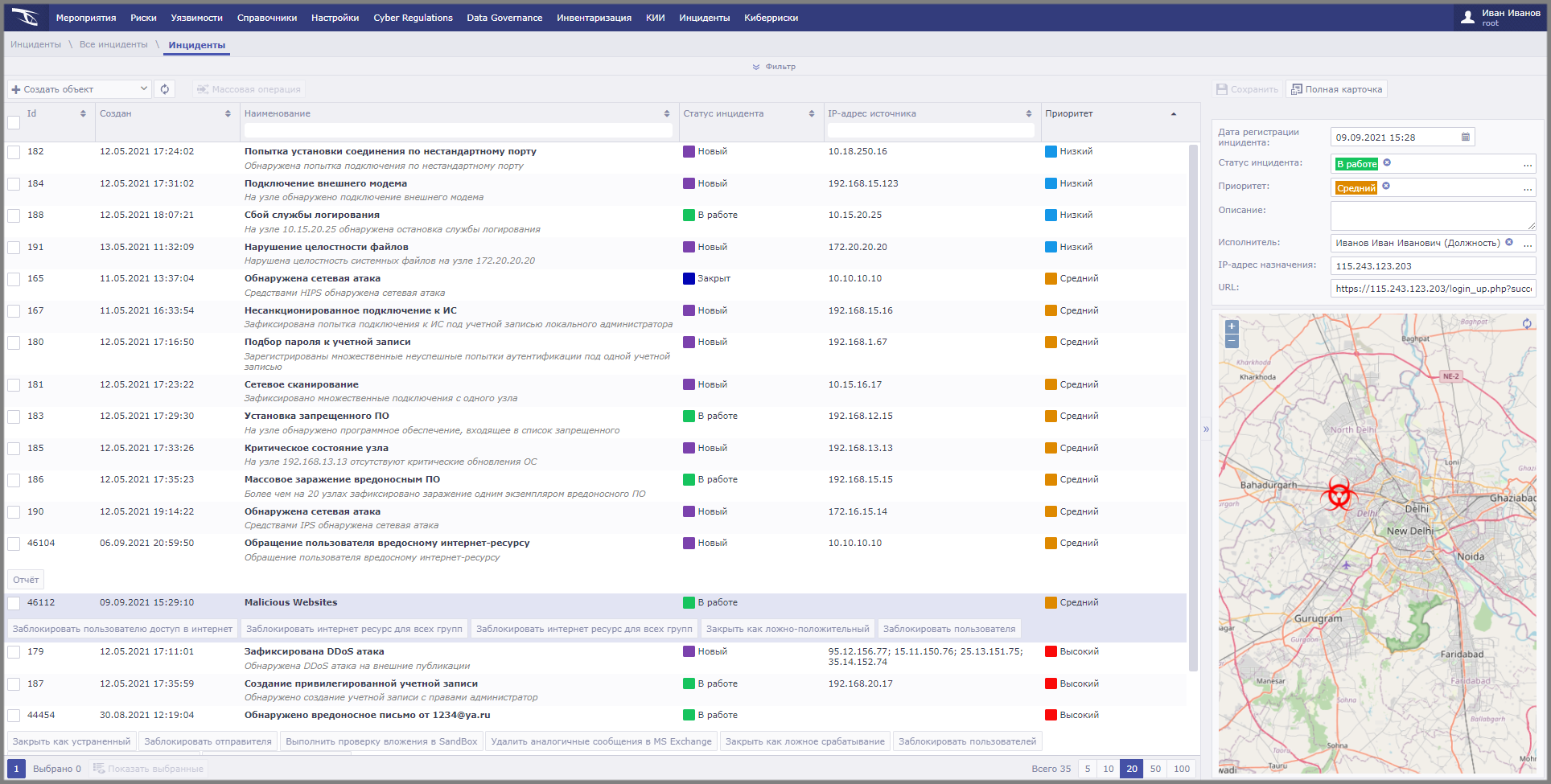
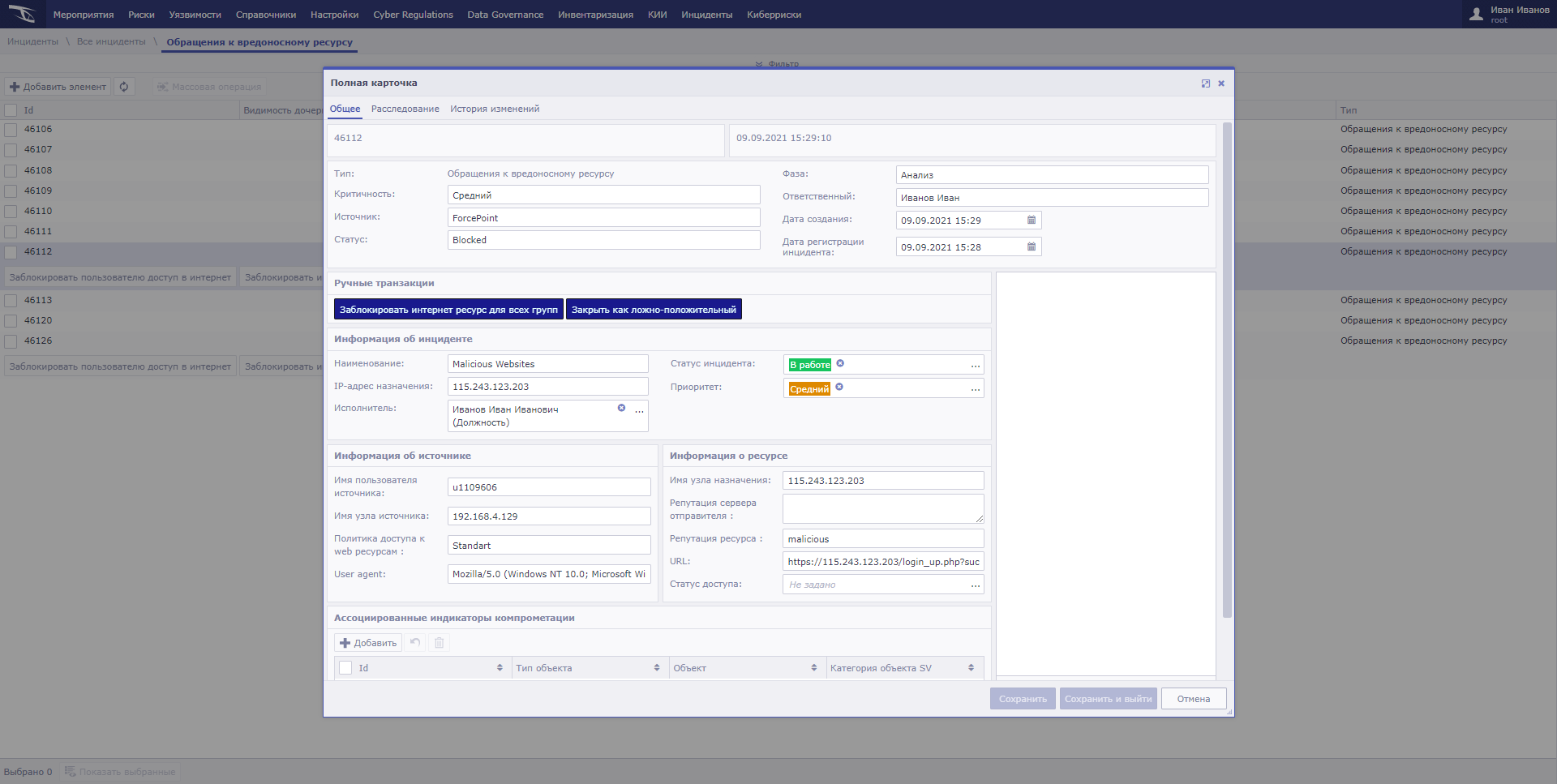


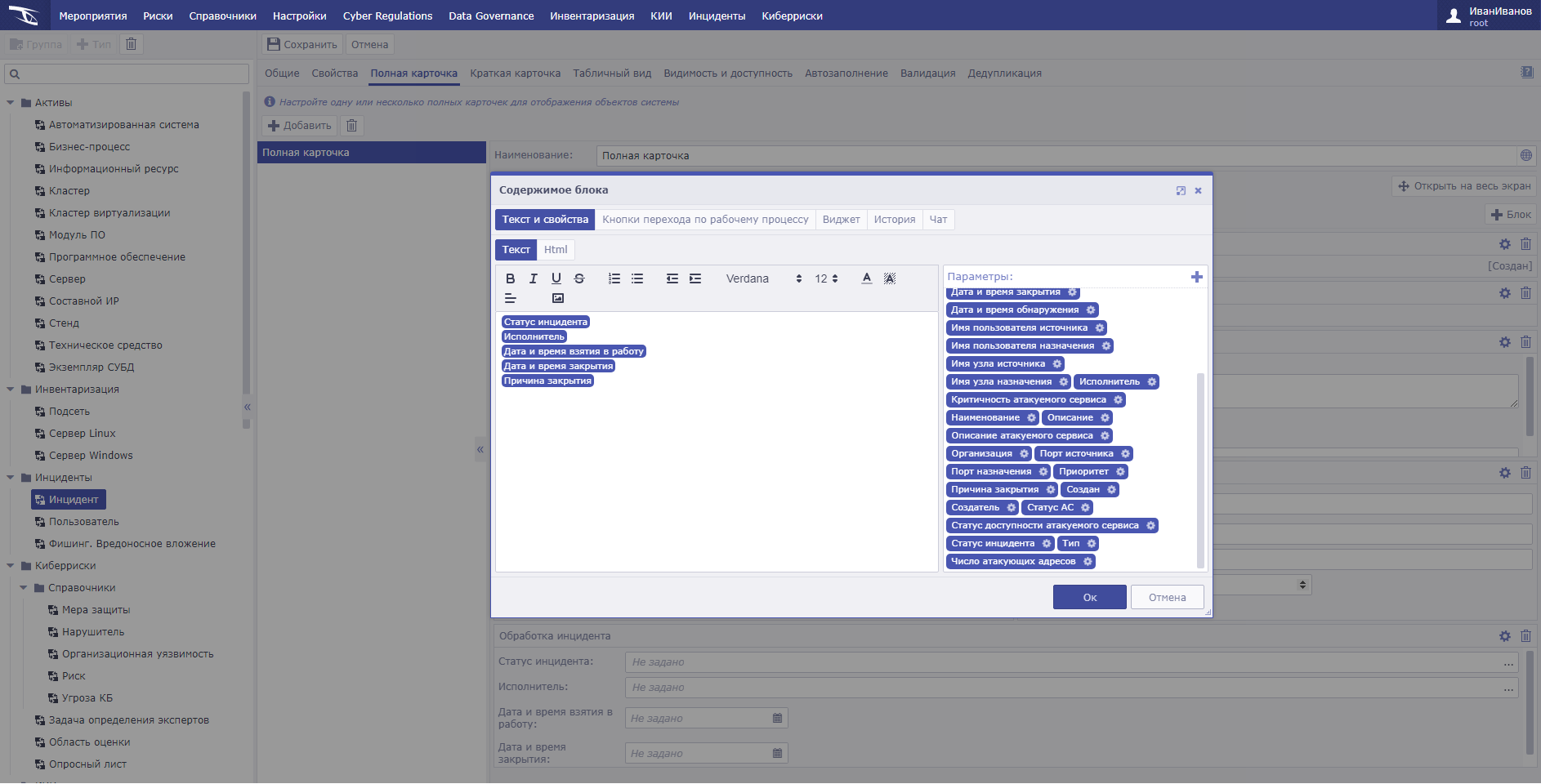
You can modify an existing incident handling process within your existing handling policy or procedure. For example, add the attribute ‘Reason for Closure’ to the incident card, which will be mandatory only when the status is ‘Awaiting Confirmation of Closure’, and the ability to edit it will be available only to a user with the ‘IS Incident Manager’ role.

The incident criticality calculation can take into account any parameters of both the event itself and the assets involved.
In our case, the initial incident criticality and asset criticality are used to calculate incident criticality. For each of the incident types and information enrichment tools, you can assign your own criticality metrics and significance weights. You can use qualitative metrics or tie the calculation to the company's established quantitative risk assessment.
The field reflecting the quantitative assessment of potential damage can be hidden for first-line support staff, making it available only to managers.
The properties of objects are available for layout in the card in relation to each other, as well as combining them into meaningful blocks and tabs. The data output form allows you to replace values with colour indicators or pictograms for greater clarity.

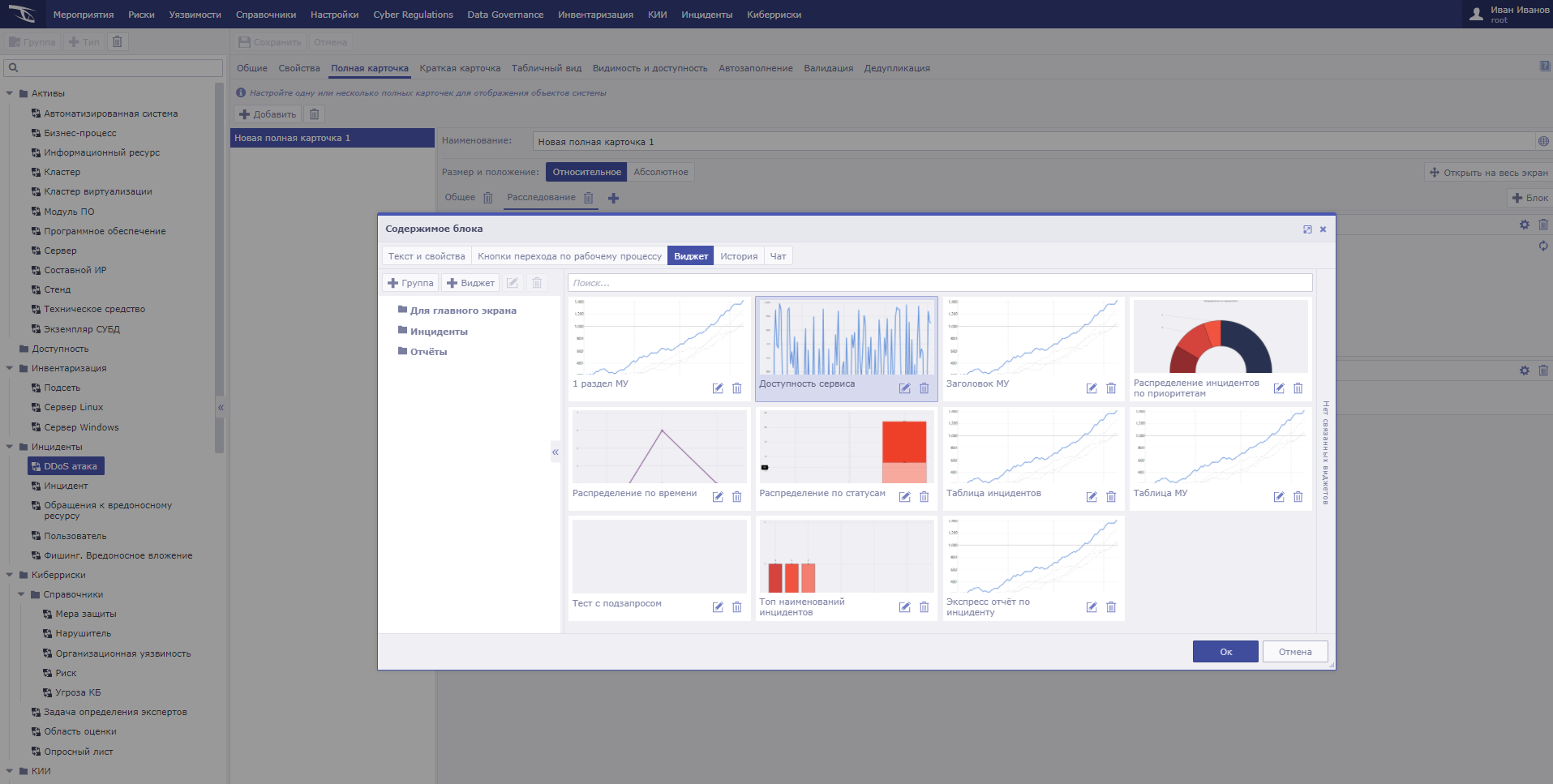
One of the most interesting features of the platform interface is the ability to add graphical widgets directly to object cards. Chart the number of incidents by device or user involved in an incident by criticality? See a graph of a user's VPN connection time over the last month? No problem, adding such analytics to a specific incident type has never been easier.
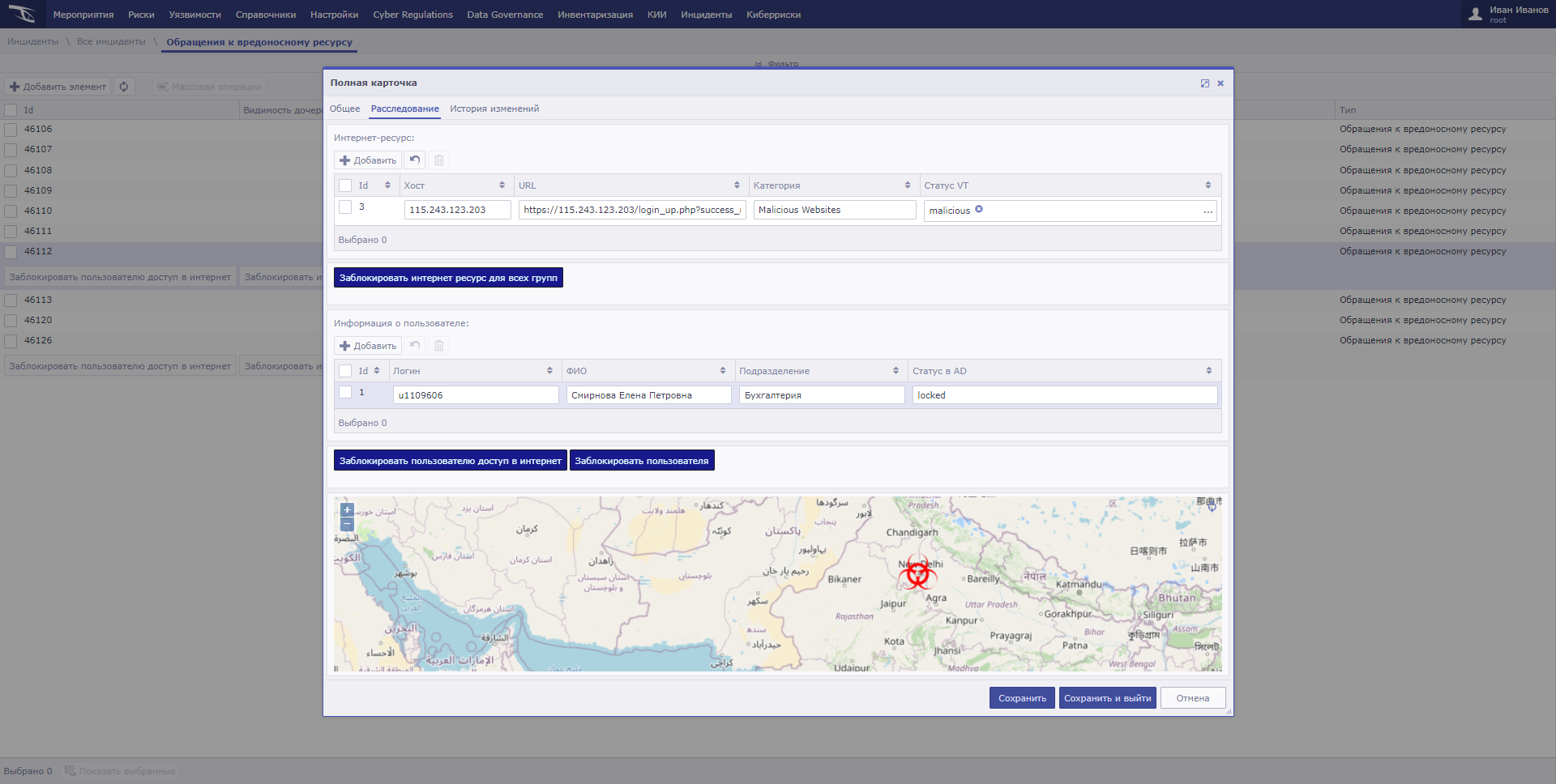
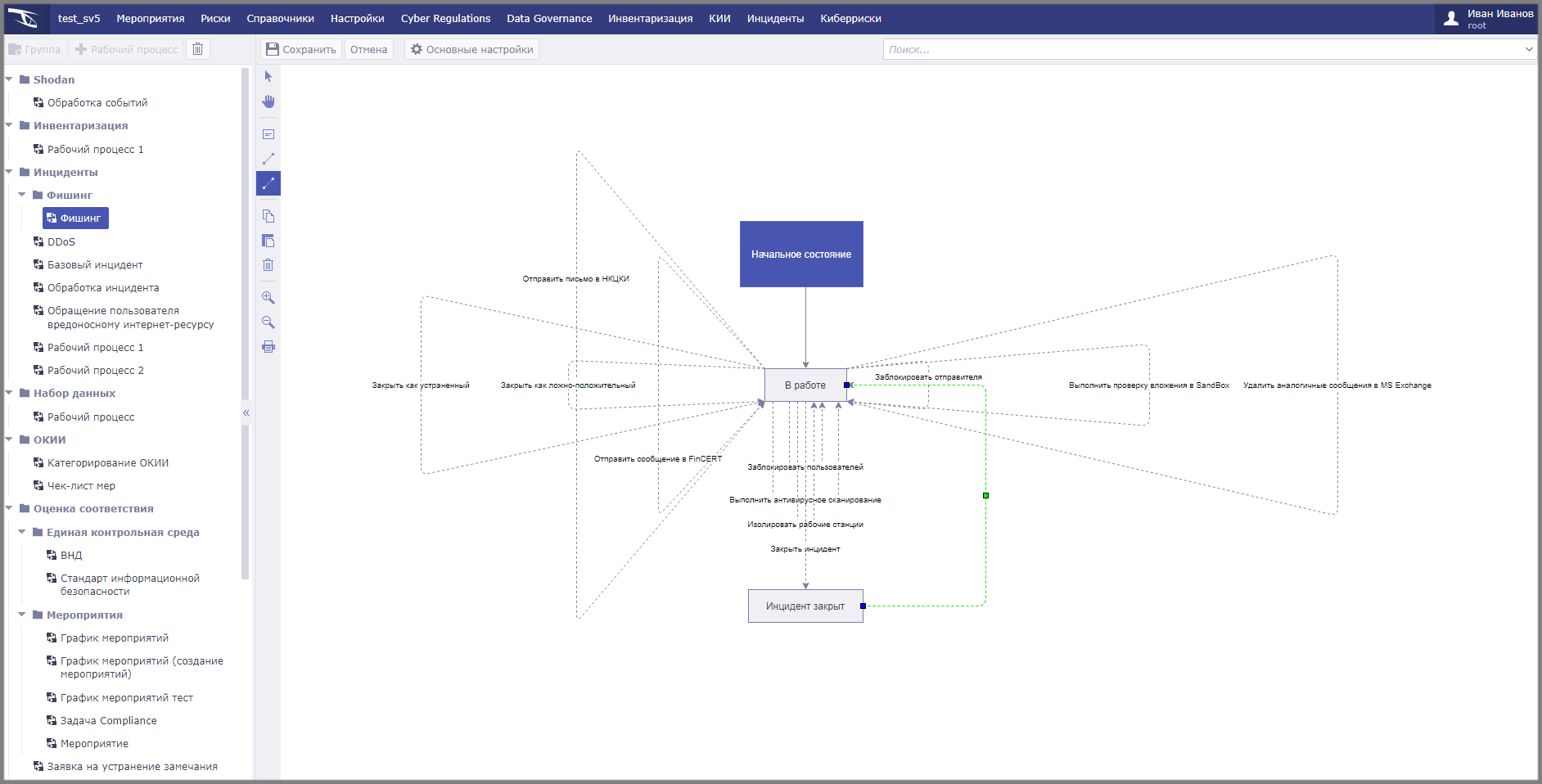
Most incident handling systems operate with tree-structured workflows. This means that our object can only move forwards and never backwards. However, identifying all the accounts, hosts, IoCs involved is often not possible in a single pass. All containment steps have been performed and it seems like the incident can be closed, but the Sandbox report reveals new objects and the investigation picture changes completely. In such a situation, it makes sense to put the incident back to work.
In Securty Viison, incident handling reports are available for generation directly from the card. You can use off-the-shelf report templates, such as the NCCI format, or customise your own, within your company's existing methodology.
Integrations
However, all of the above was mainly about the interface. The real power of the incident handling process comes from the integration builder.
Today, a huge number of both paid and free services are available for the SOC specialist to enrich the available information. VirusTotal, Threat Crowd, Hybrid Analytics - all these integrations are available by default in most IRP\SOAR platforms. But let's consider a situation where we want to add a new enrichment platform or simply process a new property that returns the API of a service of interest. We don't have to wait for a vendor response or write Python scripts to do this. In Security Vision, we literally set up the connection in a couple of iterations and get the value we are looking for.

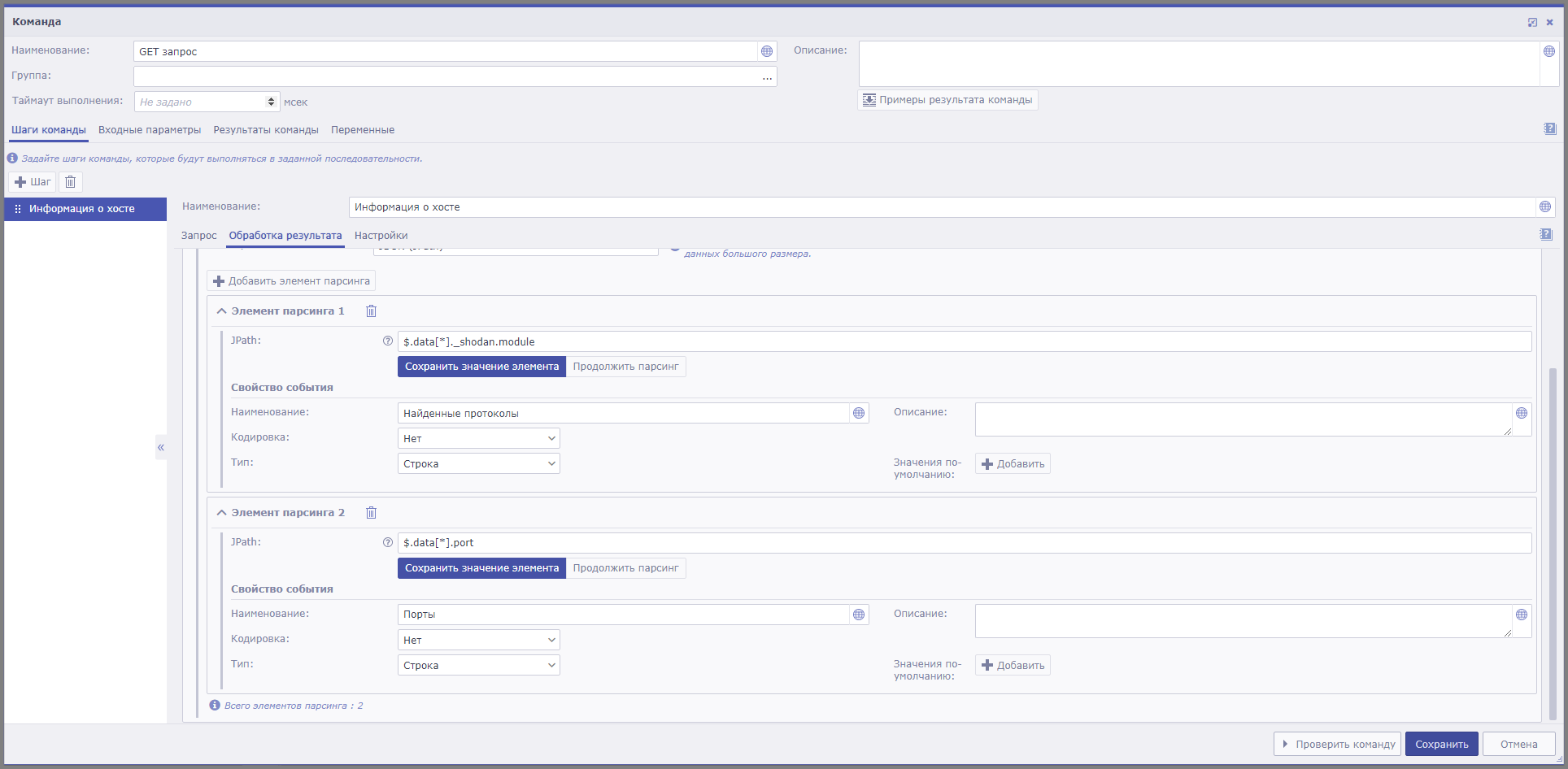
The only thing left to do is to add data capture to the incident handling workflow, selecting whether this action is fully automatic or requires manual activation of the function by the analyst.
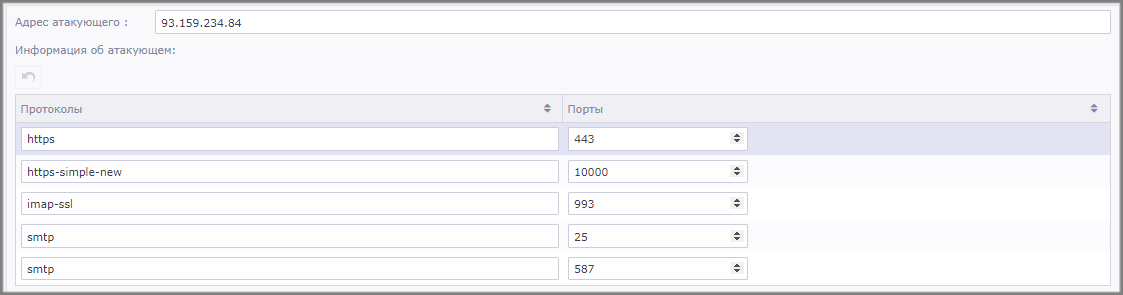
But integrations are not just about friendly external APIs. Many infrastructure components are still hard to integrate into automated procedures. For example, a Cisco cluster in Active-Passive mode will require an active IP address. How will the system learn about the required connection parameters? The functionality of redundant connector configurations allows you to create additional configurations that will be applied in case the main system is unavailable.

In order to get the required data, it is not always enough just one step. Quite often, e.g. in Sandbox systems, the following scenario is encountered: 1. send the file to be analysed 2. get the id of the request 3. check the status of the analysis at regular intervals 4. and finally get the results of the analysis. But there are also more complicated interactions when the data for authorisation in the system should be obtained in Privileged Access Management and only after that the operations of interest should be performed. Such difficulties can be handled by the mechanism of connector steps. Data from one step can be used as input parameters for the next steps. In Security Vision, data conversion functions are available on the fly: text, numeric, array and structure operations.
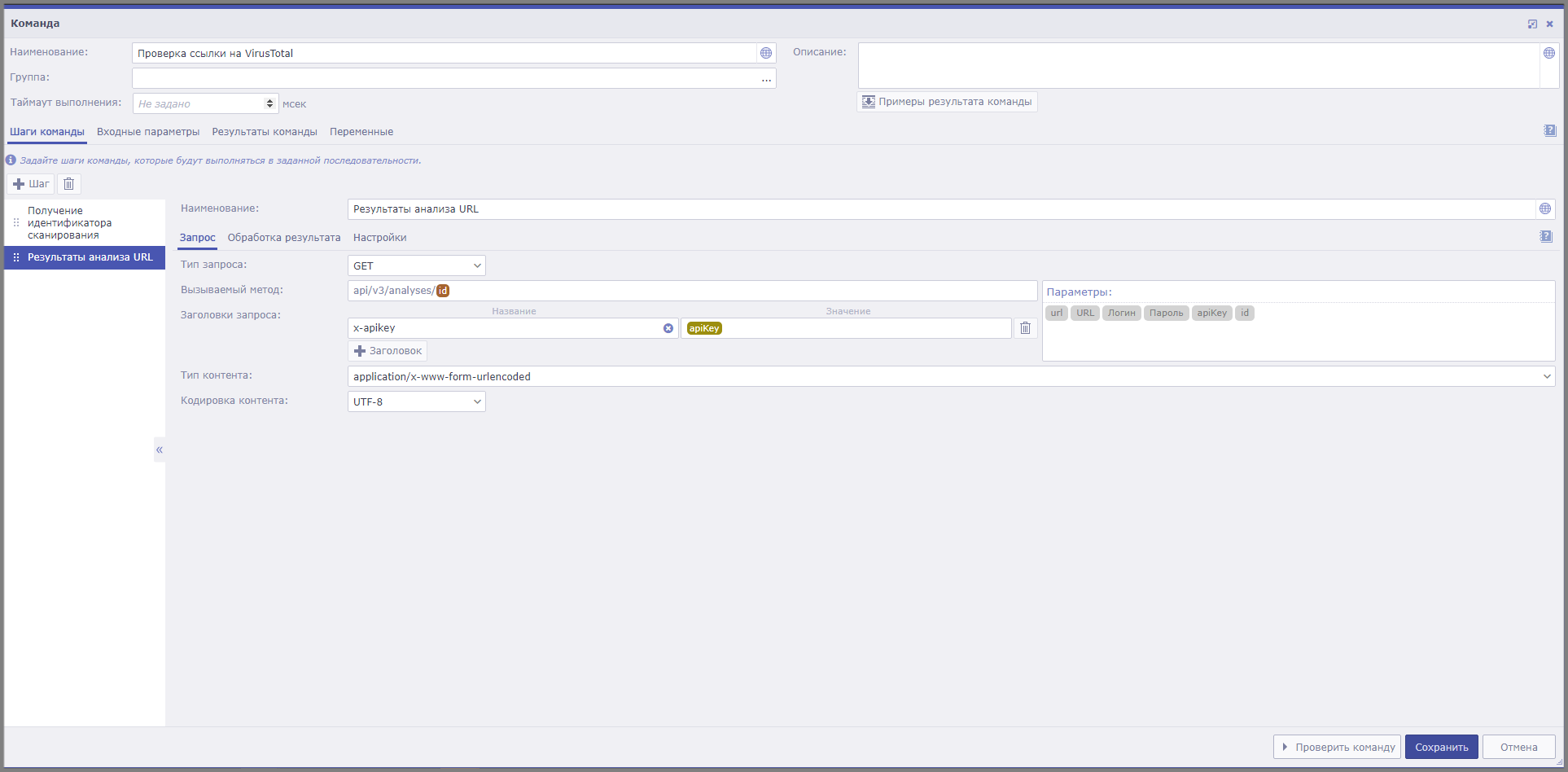
If a company already has ready-made response tools in the form of scripts in PowerShell, Bash, Python or other scripting programming languages, it is no problem to implement them into the platform. The script inputs static values or variables from system objects. Built-in regex, jpath, xpath and a number of other handlers will help to cope with any format of returned data.
Many companies face the problem of handling voluminous reports, for example, from vulnerability scanners. The file size of an infrastructure scan can be several gigabytes, but most systems can handle files as small as 100 mb. Security Vision connectors can handle even this daunting task for many.
Complex reporting structures are another non-trivial task. For example, scanning policy and used credentials are in one NameSpace, used plug-ins - in another, and scanning results - in a third. How do you turn the report into a single table instead of 3 different ones? In Security Vision, it is very easy to do so.
All the integrations described above can be performed either as part of a workflow or on a regular basis in the Task Scheduler. The results can be saved in object properties, directories or the platform can create new objects based on them: indicators of compromise, vulnerabilities, assets or save their own types created by the user.
Assets
Having considered the functionality of object creation, let's now take a closer look at the part of it that is responsible for inventory and work with assets. In Security Vision, the sources of data about the created assets can be any information storage available for integration: Active Directory, CMDB, virtualisation management tools or SIEM system asset models. Most often, however, the built-in agentless scanning mechanism is used to identify systems.
In the absence of an account or failed authentication, a host can be identified by indirect signs: service responses, information in Active Directory or using user rules (for example, based on host naming peculiarities).
If authorisation is successful, inventory scripts collect data on configuration, security status, software, updates and other system components. All inventory scripts are written in bash and PowerShell, allowing any technician to familiarise themselves with their content, modify them to suit their needs, or troubleshoot any errors or incorrect data.
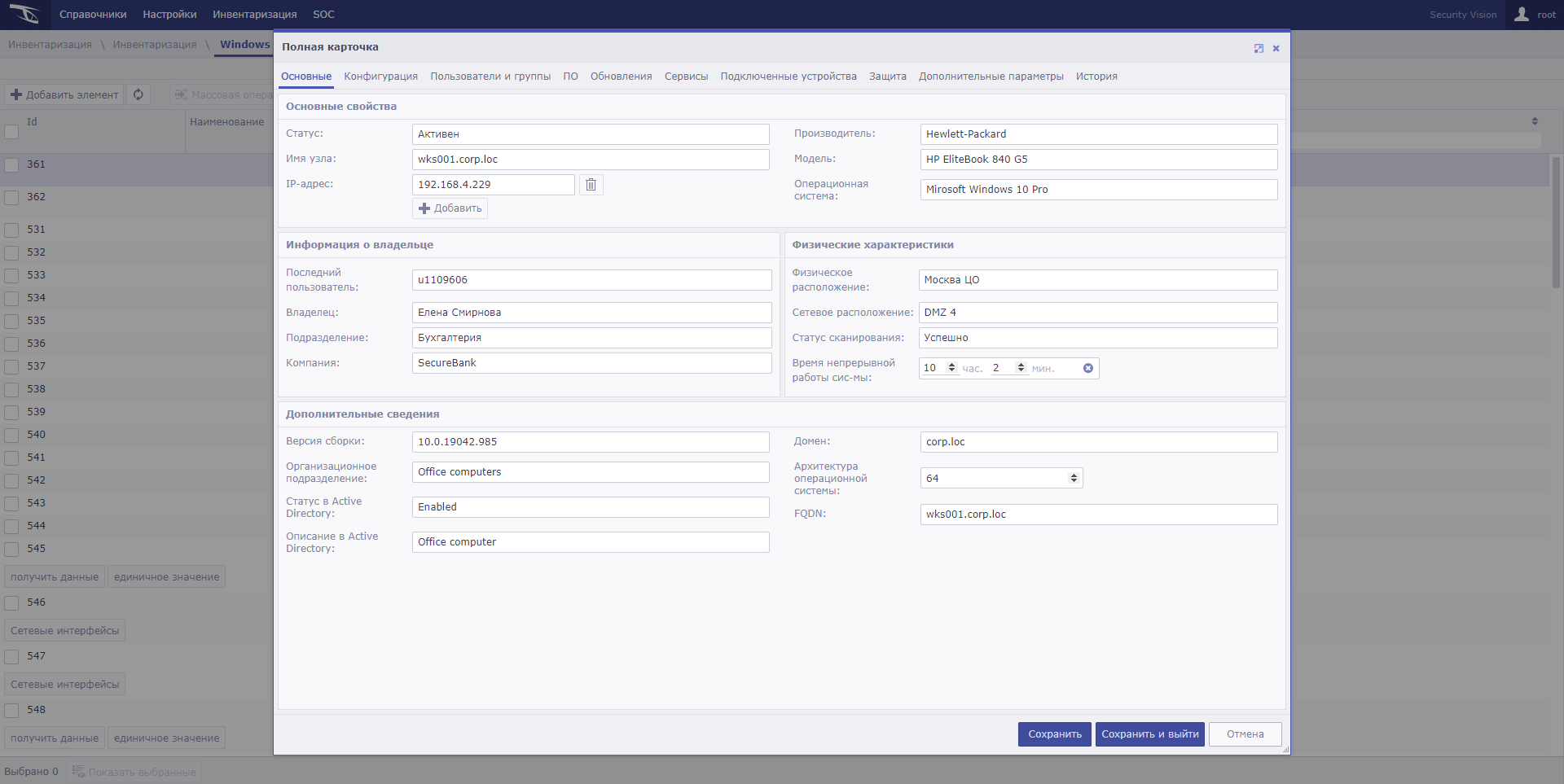
We have provided Security Vision with the ability to obtain information about user and group information, virtualisation, autoloading and much more. However, if this information is not enough, the system allows you to add the ability to retrieve any system properties available for machine collection. Such custom operations can be implemented either by adding the right calls to the regular inventory process or by creating a manual operation accessible from the asset card.
Our customers often find that inventory data, even in disparate systems, is insufficient. What is the criticality of this system? Is it a productive environment or a test environment? Who is the business owner and who is the technical administrator? Collecting this kind of information from users can be built directly into Security Vision. The workflow will independently send an email to the employee responsible for inventory and the system owner reminding them to fill in the required parameters. The system interface for such user roles can be designed in such a way that only the necessary menus and objects are available for viewing and filling out.
Any information contained in Security Vision can be presented in the form of reports and dashboards. The dashboard builder allows customising actions, such as displaying a detailed description of a selected category or navigating to another linked dashboard. Using this builder does not require technical knowledge: the formation of analytics is similar to summary tables and charts in Excel. However, for more advanced statistics, we have left the possibility of writing your own SQL queries directly in the builder interface.
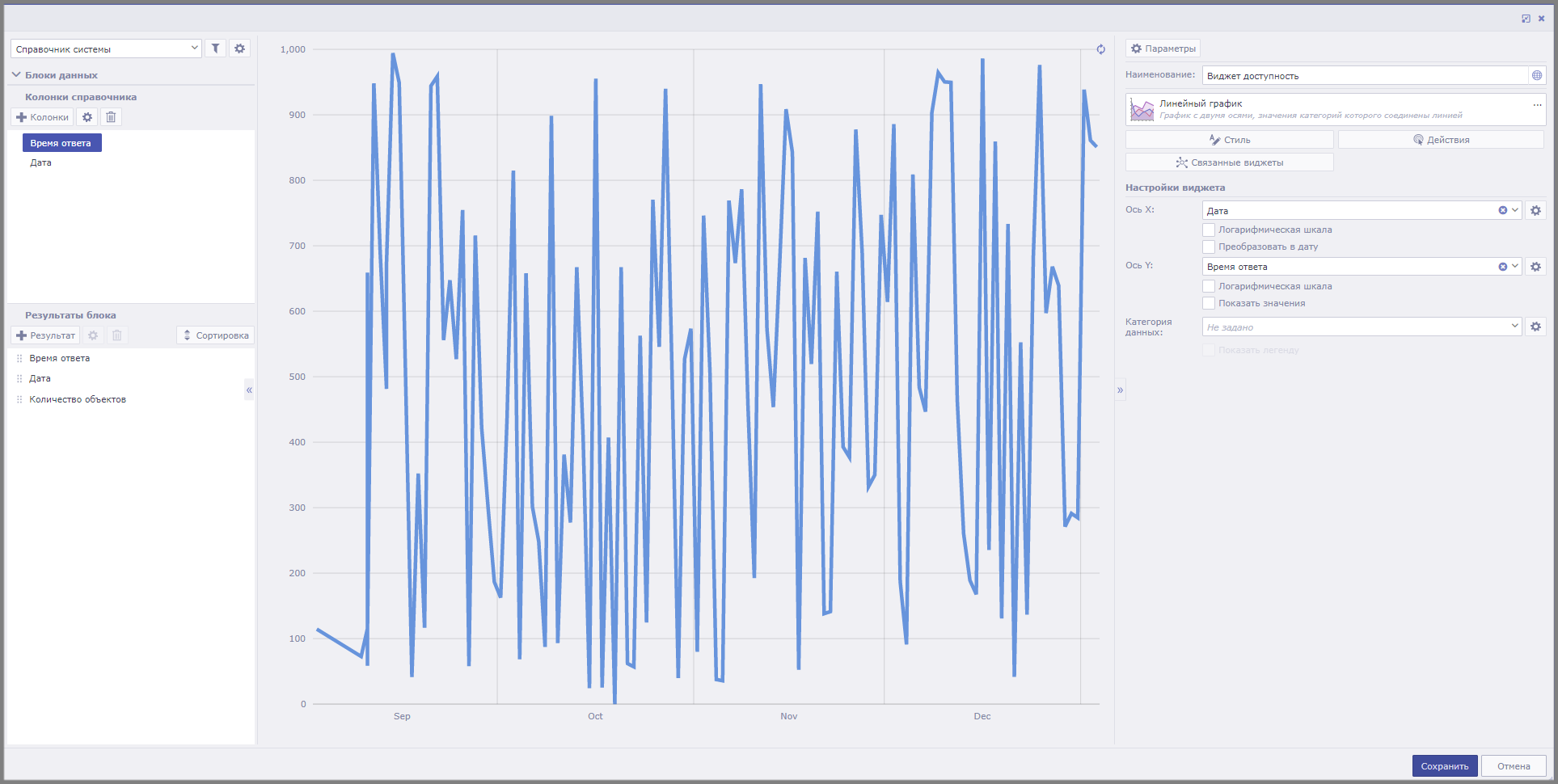
This is just a small list of tools that give the Security Vision platform the ability to optimise and automate virtually any IS process. The flexibility of each element allows you to realise scenarios for your company's specific tasks, without being constrained by product limits and contractual customisation.
Security Vision combines the efforts of people and systems into a single solution. This approach allows you to achieve unprecedented levels of automation even in processes that previously required significant human resources. Stay tuned for updates on our website: in future articles, we'll explain more about the SGRC module and its audit, risk and compliance features, how you can build vulnerability and patch management into the Security Vision platform, and how data loaded into the platform as part of the MITRE ATT&CK framework and related projects can help your SOC department mature.


